
The central page in the Publishing service is the Published Documents page. From this page’s sidebar (on the left-hand side of the page) you can also navigate to the Mass Publishing page.
By default, your Published Documents page includes a list of documents. Documents on your page can be:
-
Regular Published Docs - containing one or more files
-
Mass Publishing Docs - containing large groups of files
By default, documents are listed in reverse chronological order, with the most recent one at the top of the list.
Investor users will only see documents for accounts they have permissions for, while Staff users will have access to all documents by default. Additionally, if any documents are published at an account group level, only Investor users with access to all underlying accounts will see these reports.
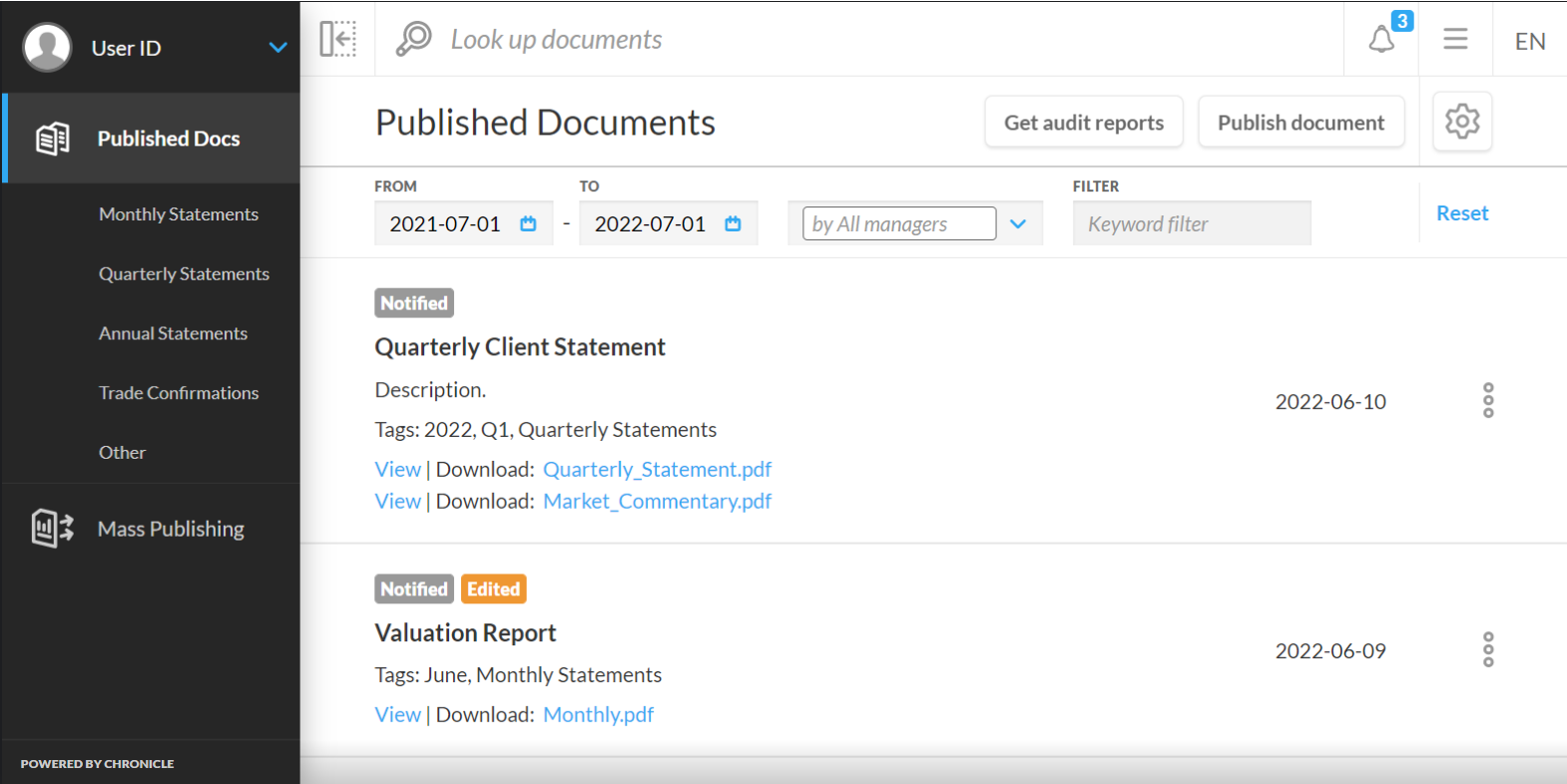
Metadata in publishing jobs
Each regularly published document includes the following parameters:
-
Document name
-
Document description (optional)
-
Document category tags (optional)
-
Reporting period tags (optional)
-
File extensions
-
View button
-
Publishing date
-
Options menu
Each mass publication includes:
-
Mass tag
-
Document name
-
Document description (optional)
-
Document category tags (optional)
-
Reporting period tags (optional)
-
Publishing date
-
Options menu
The following tags can also be applied to documents to indicate a status:
-
Edited tag - one or more documents have been edited since its first publication
-
Notified tag - users have interacted with the in-app notification of the publication, or received an email notification for it
-
Opened tag - users have opened the document